Hand-picked skills that teach your agent a job, plus ready-made templates you can start from. Works with Claude Code, Cursor, OpenCode, Codex CLI, and Gemini CLI.
Scene picks
Each pick says why these skills, which order to install them, and when to walk away.
Speed up an existing React or Next app. These skills check code. They do not design the page.
iOS, Android, or React Native. Install one platform skill, not all three.
The file you were handed is xlsx, docx, or pdf. Not a slide deck.
A picture of the system that can be reviewed in a pull request. Not a pitch deck.
Decide, then write a PRD, then edit the prose. For features, not for landing pages.
A test, a review, a commit message, then a changelog if a human will read it.
Templates
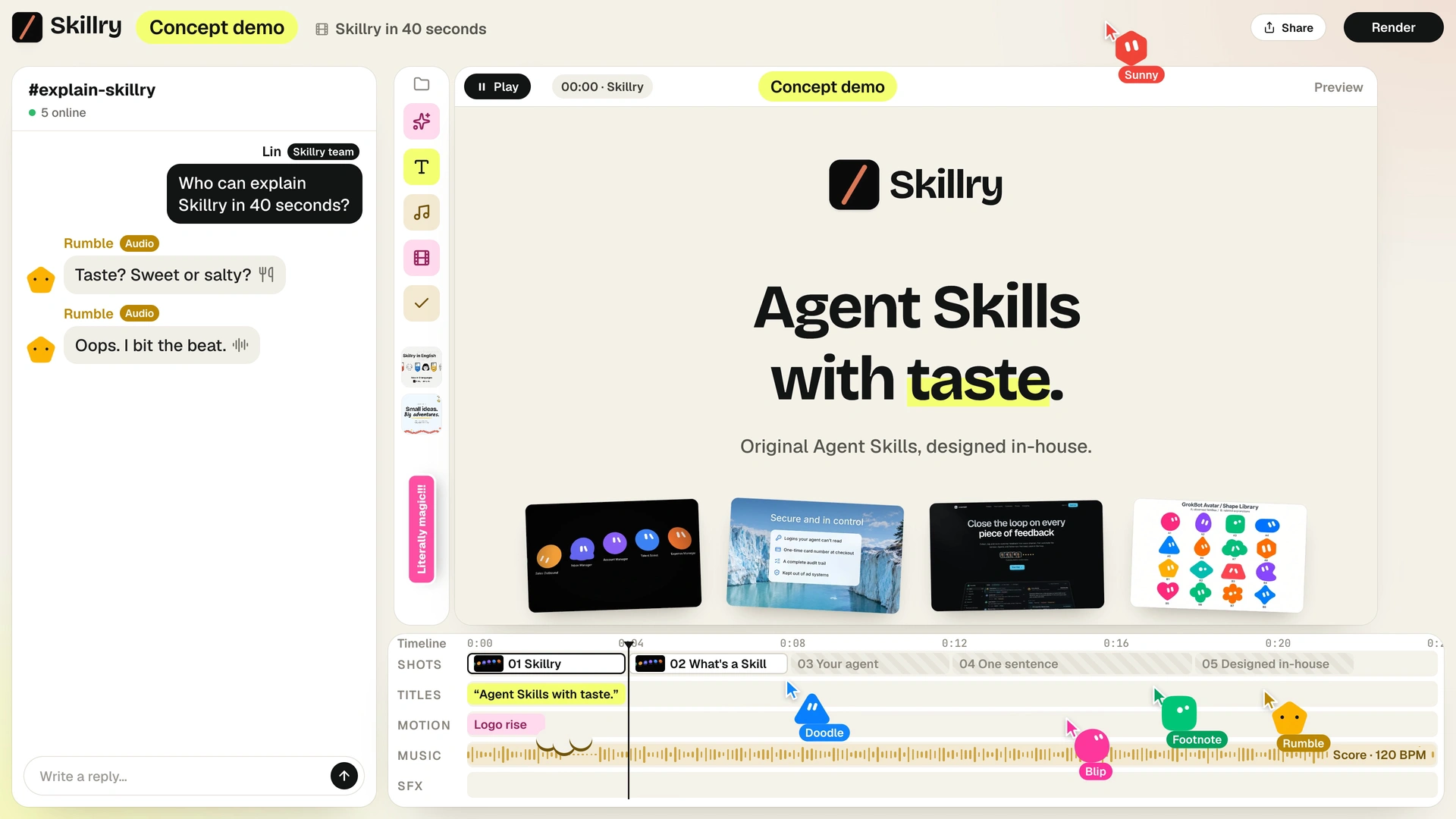
Ready-made templates from Skillry: a landing page, a deck, a share image and a launch video. Open one, swap in your content, and ship.
Find skills that match your workflow from our curated collection.
Copy the SKILL.md file to ~/.claude/skills/
Your agent automatically loads relevant skills when needed.

Video
A playful launch video, about 40 seconds. Free.
By output
Pick a column by what you want to make.
Make videos, download them, or summarize one.
Best practices for Remotion - Video creation in React
Download YouTube videos with customizable quality and format options. Use this skill when the user asks to download, save, or grab YouTube videos. Supports various quality settings (best, 1080p, 720p, 480p, 360p), multiple formats (mp4, webm, mkv), and audio-only downloads as MP3.
AI video & audio summarizer. Summarize YouTube videos, Bilibili videos, podcasts, TikTok, Twitter/X, Xiaohongshu, and any online video or audio. Use when the user wants to summarize a video, extract transcripts/subtitles, get chapter-by-chapter summaries, or understand video content quickly. Triggers: "summarize this video", "what's this video about", "extract subtitles", "总结这个视频", "帮我看看这个视频讲了什么", "video summary", "podcast notes", "YouTube summary", "B站总结", "get transcript", "video to notes". Works via bibi CLI (macOS/Windows) or OpenAPI (Linux / any platform without CLI).
Covers, illustrations, comics and social images.
Generate memes using the memegen.link API. Use when users request memes, want to add humor to content, or need visual aids for social media. Supports 100+ popular templates with custom text and styling.
Generate elegant cover images for articles. Analyzes content and creates eye-catching hand-drawn style cover images with multiple style options. Use when user asks to "generate cover image", "create article cover", or "make a cover for article".
Generates Xiaohongshu (Little Red Book) infographic series with 9 visual styles and 6 layouts. Breaks content into 1-10 cartoon-style images optimized for XHS engagement. Use when user mentions "小红书图片", "XHS images", "RedNote infographics", "小红书种草", or wants social media infographics for Chinese platforms.
Knowledge comic creator supporting multiple styles (Logicomix/Ligne Claire, Ohmsha manga guide). Creates original educational comics with detailed panel layouts and sequential image generation. Use when user asks to create "知识漫画", "教育漫画", "biography comic", "tutorial comic", or "Logicomix-style comic".
Smart article illustration skill. Analyzes article content and generates illustrations at positions requiring visual aids with multiple style options. Use when user asks to "add illustrations to article", "generate images for article", or "illustrate article".
Generate professional infographics with 20 layout types and 17 visual styles. Analyzes content, recommends layout×style combinations, and generates publication-ready infographics. Use when user asks to create "infographic", "信息图", or "visual summary".
Turn notes into a deck or a .pptx file.
Create professional Marp presentation slides with 7 beautiful themes (default, minimal, colorful, dark, gradient, tech, business). Use when users request slide creation, presentations, or Marp documents. Supports custom themes, image layouts, and "make it look good" requests with automatic quality improvements.
Generate professional slide deck images from content. Creates comprehensive outlines with style instructions, then generates individual slide images. Use when user asks to "create slides", "make a presentation", "generate deck", or "slide deck".
Presentation creation, editing, and analysis. When Claude needs to work with presentations (.pptx files) for: (1) Creating new presentations, (2) Modifying or editing content, (3) Working with layouts, (4) Adding comments or speaker notes, or any other presentation tasks
Build and review web pages: React, Next.js, Vue, design and SEO.
React and Next.js performance optimization guidelines from Vercel Engineering. This skill should be used when writing, reviewing, or refactoring React/Next.js code to ensure optimal performance patterns. Triggers on tasks involving React components, Next.js pages, data fetching, bundle optimization, or performance improvements.
Modern web design principles for responsive layouts, accessibility, and visual hierarchy.
This skill should be used when building React components with TypeScript, typing hooks, handling events, or when React TypeScript, React 19, Server Components are mentioned. Covers type-safe patterns for React 18-19 including generic components, proper event typing, and routing integration (TanStack Router, React Router).
Next.js 16 App Router performance optimization guidelines (formerly nextjs-16-app-router). This skill should be used when writing Next.js 16 code, configuring caching, implementing Server Components in Next.js, setting up App Router routing, or configuring next.config.js. This skill does NOT cover generic React 19 patterns (use react-19 skill) or non-Next.js server rendering.
Use when editing .vue files, creating Vue 3 components, writing composables, or testing Vue code - provides Composition API patterns, props/emits best practices, VueUse integration, and reactive destructuring guidance
When the user wants to audit, review, or diagnose SEO issues on their site. Also use when the user mentions "SEO audit," "technical SEO," "why am I not ranking," "SEO issues," "on-page SEO," "meta tags review," or "SEO health check." For building pages at scale to target keywords, see programmatic-seo. For adding structured data, see schema-markup.
Create high-quality git commits: review/stage intended changes, split into logical commits, and write clear commit messages (including Conventional Commits). Use when the user asks to commit, craft a commit message, stage changes, or split work into multiple commits.
Creates comprehensive handoff documents for seamless AI agent session transfers. Triggered when: (1) user requests handoff/memory/context save, (2) context window approaches capacity, (3) major task milestone completed, (4) work session ending, (5) user says 'save state', 'create handoff', 'I need to pause', 'context is getting full', (6) resuming work with 'load handoff', 'resume from', 'continue where we left off'. Proactively suggests handoffs after substantial work (multiple file edits, complex debugging, architecture decisions). Solves long-running agent context exhaustion by enabling fresh agents to continue with zero ambiguity.

400+ tested Skills for Claude Code, Codex and Cursor: slides, web pages, images and launch videos. See a real result before you install.
Create professional Marp presentation slides with 7 beautiful themes (default, minimal, colorful, dark, gradient, tech, business). Use when users request slide creation, presentations, or Marp documents. Supports custom themes, image layouts, and "make it look good" requests with automatic quality improvements.
Comprehensive guide for creating software diagrams using Mermaid syntax. Use when users need to create, visualize, or document software through diagrams including class diagrams (domain modeling, object-oriented design), sequence diagrams (application flows, API interactions, code execution), flowcharts (processes, algorithms, user journeys), entity relationship diagrams (database schemas), C4 architecture diagrams (system context, containers, components), state diagrams, git graphs, pie charts, gantt charts, or any other diagram type. Triggers include requests to "diagram", "visualize", "model", "map out", "show the flow", or when explaining system architecture, database design, code structure, or user/application flows.
Generate architecture documentation using C4 model Mermaid diagrams. Use when asked to create architecture diagrams, document system architecture, visualize software structure, create C4 diagrams, or generate context/container/component/deployment diagrams. Triggers include "architecture diagram", "C4 diagram", "system context", "container diagram", "component diagram", "deployment diagram", "document architecture", "visualize architecture".
Remove signs of AI-generated writing from text. Use when editing or reviewing text to make it sound more natural and human-written. Based on Wikipedia's comprehensive "Signs of AI writing" guide. Detects and fixes patterns including: inflated symbolism, promotional language, superficial -ing analyses, vague attributions, em dash overuse, rule of three, AI vocabulary words, negative parallelisms, and excessive conjunctive phrases. Credits: Original skill by @blader - https://github.com/blader/humanizer
When the user wants to write, rewrite, or improve marketing copy for any page — including homepage, landing pages, pricing pages, feature pages, about pages, or product pages. Also use when the user says "write copy for," "improve this copy," "rewrite this page," "marketing copy," "headline help," or "CTA copy." For email copy, see email-sequence. For popup copy, see popup-cro.
Reach thousands of AI developers. Advertise your tool, service, or product to the Agent Skills community.
You MUST use this before any creative work - creating features, building components, adding functionality, or modifying behavior. Explores user intent, requirements and design before implementation.
When the user wants to edit, review, or improve existing marketing copy. Also use when the user mentions 'edit this copy,' 'review my copy,' 'copy feedback,' 'proofread,' 'polish this,' 'make this better,' or 'copy sweep.' This skill provides a systematic approach to editing marketing copy through multiple focused passes.
Vue 3 and Vue.js best practices for TypeScript, vue-tsc, and Volar. This skill should be used when writing, reviewing, or refactoring Vue components to ensure correct typing patterns. Triggers on tasks involving Vue components, props extraction, wrapper components, template type checking, or Volar configuration.
This skill should be used when building React components with TypeScript, typing hooks, handling events, or when React TypeScript, React 19, Server Components are mentioned. Covers type-safe patterns for React 18-19 including generic components, proper event typing, and routing integration (TanStack Router, React Router).
UI/UX design intelligence. 50 styles, 21 palettes, 50 font pairings, 20 charts, 9 stacks (React, Next.js, Vue, Svelte, SwiftUI, React Native, Flutter, Tailwind, shadcn/ui). Actions: plan, build, create, design, implement, review, fix, improve, optimize, enhance, refactor, check UI/UX code. Projects: website, landing page, dashboard, admin panel, e-commerce, SaaS, portfolio, blog, mobile app, .html, .tsx, .vue, .svelte. Elements: button, modal, navbar, sidebar, card, table, form, chart. Styles: glassmorphism, claymorphism, minimalism, brutalism, neumorphism, bento grid, dark mode, responsive, skeuomorphism, flat design. Topics: color palette, accessibility, animation, layout, typography, font pairing, spacing, hover, shadow, gradient. Integrations: shadcn/ui MCP for component search and examples.
Use when starting any conversation - establishes how to find and use skills, requiring Skill tool invocation before ANY response including clarifying questions
Material-UI v7 component library patterns including sx prop styling, theme integration, responsive design, and MUI-specific hooks. Use when working with MUI components, styling with sx prop, theme customization, or MUI utilities.
Use when working with *.excalidraw or *.excalidraw.json files, user mentions diagrams/flowcharts, or requests architecture visualization - delegates all Excalidraw operations to subagents to prevent context exhaustion from verbose JSON (single files: 4k-22k tokens, can exceed read limits)
Comprehensive PDF manipulation toolkit for extracting text and tables, creating new PDFs, merging/splitting documents, and handling forms. When Claude needs to fill in a PDF form or programmatically process, generate, or analyze PDF documents at scale.
Use when editing .vue files, creating Vue 3 components, writing composables, or testing Vue code - provides Composition API patterns, props/emits best practices, VueUse integration, and reactive destructuring guidance
Use when working on Nuxt 4+ projects - provides server routes, file-based routing, middleware patterns, Nuxt-specific composables, and configuration with latest docs. Covers h3 v1 helpers (validation, WebSocket, SSE) and nitropack v2 patterns.
Comprehensive spreadsheet creation, editing, and analysis with support for formulas, formatting, data analysis, and visualization. When Claude needs to work with spreadsheets (.xlsx, .xlsm, .csv, .tsv, etc) for: (1) Creating new spreadsheets with formulas and formatting, (2) Reading or analyzing data, (3) Modify existing spreadsheets while preserving formulas, (4) Data analysis and visualization in spreadsheets, or (5) Recalculating formulas
Logging best practices focused on wide events (canonical log lines) for powerful debugging and analytics
Create and edit Obsidian Flavored Markdown with wikilinks, embeds, callouts, properties, and other Obsidian-specific syntax. Use when working with .md files in Obsidian, or when the user mentions wikilinks, callouts, frontmatter, tags, embeds, or Obsidian notes.
Three.js animation - keyframe animation, skeletal animation, morph targets, animation mixing. Use when animating objects, playing GLTF animations, creating procedural motion, or blending animations.
Generate Vitest + React Testing Library tests for Dify frontend components, hooks, and utilities. Triggers on testing, spec files, coverage, Vitest, RTL, unit tests, integration tests, or write/review test requests.
Three.js scene setup, cameras, renderer, Object3D hierarchy, coordinate systems. Use when setting up 3D scenes, creating cameras, configuring renderers, managing object hierarchies, or working with transforms.
Add Agentation visual feedback toolbar to a Next.js project
Create production-ready FastAPI projects with async patterns, dependency injection, and comprehensive error handling. Use when building new FastAPI applications or setting up backend API projects.
Implement modern responsive layouts using container queries, fluid typography, CSS Grid, and mobile-first breakpoint strategies. Use when building adaptive interfaces, implementing fluid layouts, or creating component-level responsive behavior.
Implement, review, or improve SwiftUI features using the iOS 26+ Liquid Glass API. Use when asked to adopt Liquid Glass in new SwiftUI UI, refactor an existing feature to Liquid Glass, or review Liquid Glass usage for correctness, performance, and design alignment.
Use this skill to review code. It supports both local changes (staged or working tree) and remote Pull Requests (by ID or URL). It focuses on correctness, maintainability, and adherence to project standards.
Use when reviewing pull requests, conducting code quality audits, or identifying security vulnerabilities. Invoke for PR reviews, code quality checks, refactoring suggestions.
Master iOS Human Interface Guidelines and SwiftUI patterns for building native iOS apps. Use when designing iOS interfaces, implementing SwiftUI views, or ensuring apps follow Apple's design principles.
Intelligently organizes your files and folders across your computer by understanding context, finding duplicates, suggesting better structures, and automating cleanup tasks. Reduces cognitive load and keeps your digital workspace tidy without manual effort.
Master the uv package manager for fast Python dependency management, virtual environments, and modern Python project workflows. Use when setting up Python projects, managing dependencies, or optimizing Python development workflows with uv.
Master React Native styling, navigation, and Reanimated animations for cross-platform mobile development. Use when building React Native apps, implementing navigation patterns, or creating performant animations.
Design and implement microinteractions, motion design, transitions, and user feedback patterns. Use when adding polish to UI interactions, implementing loading states, or creating delightful user experiences.
Apply typography, color theory, spacing systems, and iconography principles to create cohesive visual designs. Use when establishing design tokens, building style guides, or improving visual hierarchy and consistency.
Turborepo monorepo build system guidance. Triggers on: turbo.json, task pipelines, dependsOn, caching, remote cache, the "turbo" CLI, --filter, --affected, CI optimization, environment variables, internal packages, monorepo structure/best practices, and boundaries. Use when user: configures tasks/workflows/pipelines, creates packages, sets up monorepo, shares code between apps, runs changed/affected packages, debugs cache, or has apps/packages directories.
This skill should be used when the user asks to "optimize TypeScript performance", "speed up tsc compilation", "configure tsconfig.json", "fix type errors", "improve async patterns", or encounters TS errors (TS2322, TS2339, "is not assignable to"). Also triggers on .ts, .tsx, .d.ts file work involving type definitions, module organization, or memory management. Does NOT cover TypeScript basics, framework-specific patterns, or testing.
Transform data into compelling narratives using visualization, context, and persuasive structure. Use when presenting analytics to stakeholders, creating data reports, or building executive presentations.
Use when building Go applications requiring concurrent programming, microservices architecture, or high-performance systems. Invoke for goroutines, channels, Go generics, gRPC integration.
Implement WCAG 2.2 compliant interfaces with mobile accessibility, inclusive design patterns, and assistive technology support. Use when auditing accessibility, implementing ARIA patterns, building for screen readers, or ensuring inclusive user experiences.
Database schema design, optimization, and migration patterns for PostgreSQL, MySQL, and NoSQL databases. Use for designing schemas, writing migrations, or optimizing queries.
Next.js 16 App Router performance optimization guidelines (formerly nextjs-16-app-router). This skill should be used when writing Next.js 16 code, configuring caching, implementing Server Components in Next.js, setting up App Router routing, or configuring next.config.js. This skill does NOT cover generic React 19 patterns (use react-19 skill) or non-Next.js server rendering.
Optimize Apache Spark jobs with partitioning, caching, shuffle optimization, and memory tuning. Use when improving Spark performance, debugging slow jobs, or scaling data processing pipelines.
Docker containerization expert with deep knowledge of multi-stage builds, image optimization, container security, Docker Compose orchestration, and production deployment patterns. Use PROACTIVELY for Dockerfile optimization, container issues, image size problems, security hardening, networking, and orchestration challenges.
Use when working with icons in any project. Provides CLI for searching 200+ icon libraries (Iconify) and retrieving SVGs. Commands: `better-icons search <query>` to find icons, `better-icons get <id>` to get SVG. Also available as MCP server for AI agents.
Download YouTube videos with customizable quality and format options. Use this skill when the user asks to download, save, or grab YouTube videos. Supports various quality settings (best, 1080p, 720p, 480p, 360p), multiple formats (mp4, webm, mkv), and audio-only downloads as MP3.
Test-Driven Development workflow principles. RED-GREEN-REFACTOR cycle.
React Three Fiber (R3F) and Poimandres ecosystem best practices. Use when writing, reviewing, or optimizing R3F code. Triggers on tasks involving @react-three/fiber, @react-three/drei, zustand, @react-three/postprocessing, @react-three/rapier, or leva.
Expert motion and interaction design auditor based on Emil Kowalski, Jakub Krehel, and Jhey Tompkins' techniques. Use when reviewing UI animations, transitions, hover states, or any motion design work. Provides per-designer perspectives with context-aware weighting.
Nest.js framework expert specializing in module architecture, dependency injection, middleware, guards, interceptors, testing with Jest/Supertest, TypeORM/Mongoose integration, and Passport.js authentication. Use PROACTIVELY for any Nest.js application issues including architecture decisions, testing strategies, performance optimization, or debugging complex dependency injection problems. If a specialized expert is a better fit, I will recommend switching and stop.
Use when building NestJS applications requiring modular architecture, dependency injection, or TypeScript backend development. Invoke for modules, controllers, services, DTOs, guards, interceptors, TypeORM/Prisma.
Generate a Product Requirements Document (PRD) for a new feature. Use when planning a feature, starting a new project, or when asked to create a PRD. Triggers on: create a prd, write prd for, plan this feature, requirements for, spec out.
Create distinctive, production-grade frontend interfaces with high design quality. Use this skill when the user asks to build web components, pages, artifacts, posters, or applications (examples include websites, landing pages, dashboards, React components, HTML/CSS layouts, or when styling/beautifying any web UI). Generates creative, polished code and UI design that avoids generic AI aesthetics.
Use this skill whenever the user wants to do anything with PDF files. This includes reading or extracting text/tables from PDFs, combining or merging multiple PDFs into one, splitting PDFs apart, rotating pages, adding watermarks, creating new PDFs, filling PDF forms, encrypting/decrypting PDFs, extracting images, and OCR on scanned PDFs to make them searchable. If the user mentions a .pdf file or asks to produce one, use this skill.
Use this skill any time a spreadsheet file is the primary input or output. This means any task where the user wants to: open, read, edit, or fix an existing .xlsx, .xlsm, .csv, or .tsv file (e.g., adding columns, computing formulas, formatting, charting, cleaning messy data); create a new spreadsheet from scratch or from other data sources; or convert between tabular file formats. Trigger especially when the user references a spreadsheet file by name or path — even casually (like "the xlsx in my downloads") — and wants something done to it or produced from it. Also trigger for cleaning or restructuring messy tabular data files (malformed rows, misplaced headers, junk data) into proper spreadsheets. The deliverable must be a spreadsheet file. Do NOT trigger when the primary deliverable is a Word document, HTML report, standalone Python script, database pipeline, or Google Sheets API integration, even if tabular data is involved.
Use this skill when asked to write documentation (`/docs` directory) for Gemini CLI.
Analyzes job descriptions and generates tailored resumes that highlight relevant experience, skills, and achievements to maximize interview chances
Analyze heap dump analyzer operations. Auto-activating skill for Performance Testing. Triggers on: heap dump analyzer, heap dump analyzer Part of the Performance Testing skill category. Use when analyzing or auditing heap dump analyzer. Trigger with phrases like "heap dump analyzer", "heap analyzer", "analyze heap dump r".
Create ansible role creator operations. Auto-activating skill for DevOps Advanced. Triggers on: ansible role creator, ansible role creator Part of the DevOps Advanced skill category. Use when working with ansible role creator functionality. Trigger with phrases like "ansible role creator", "ansible creator", "ansible".